How do I post to Nostr from BoostPoster?
Short answer
No Nostr account yet? Make one in BoostPoster's Sign-ups; the keys are made in your browser and the account connects by itself. Already have one? Copy the nsec key from your Nostr app's key settings into Connections, Nostr. Notes are signed in BoostPoster and sent to the relays relay.damus.io, nos.lol and relay.primal.net.
Very soon: Connect Nostr, when BoostPoster opensHow do I connect Nostr, step by step?
- New to Nostr: make an account. In BoostPoster open Sign-ups and choose Nostr. The keys are made in your browser and the account connects by itself.
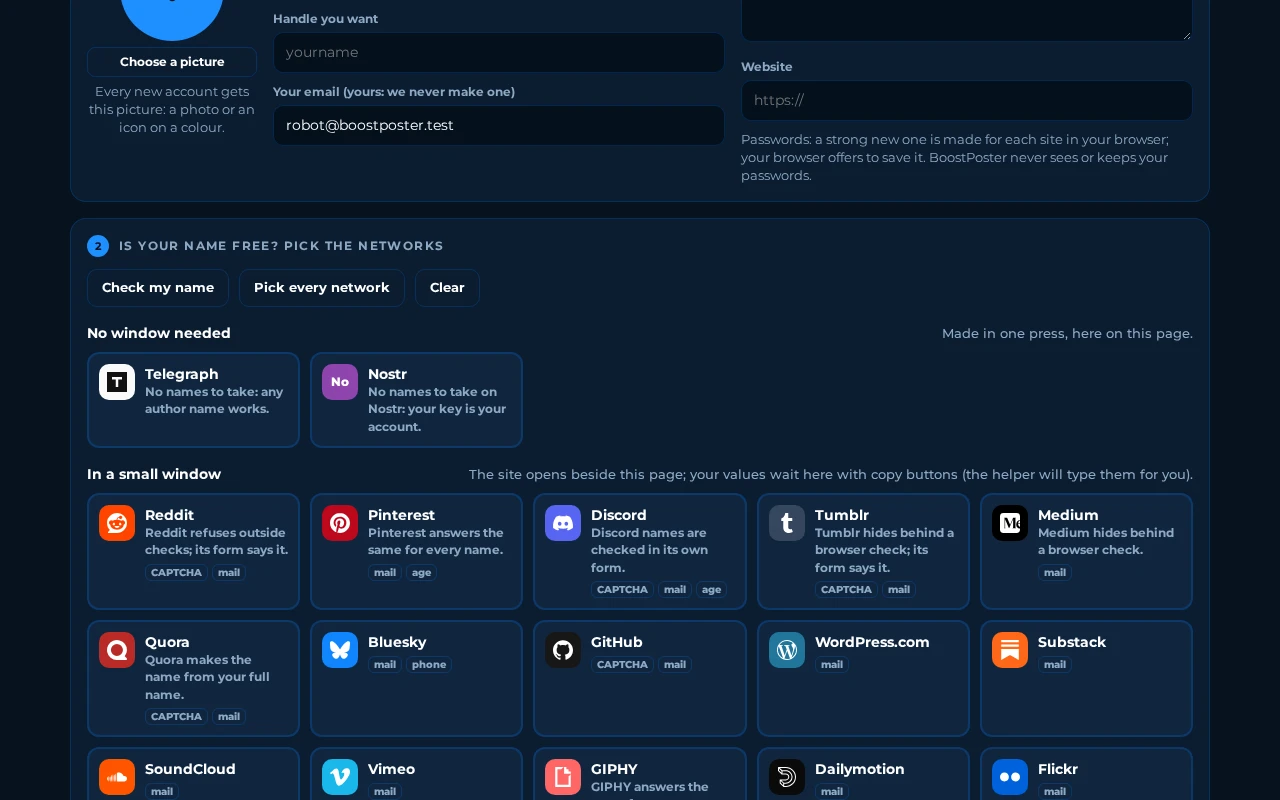
Sign-ups, a new Nostr account - Already on Nostr: paste the key. Copy the nsec from your Nostr app’s key settings, then in Connections press Nostr and paste it.
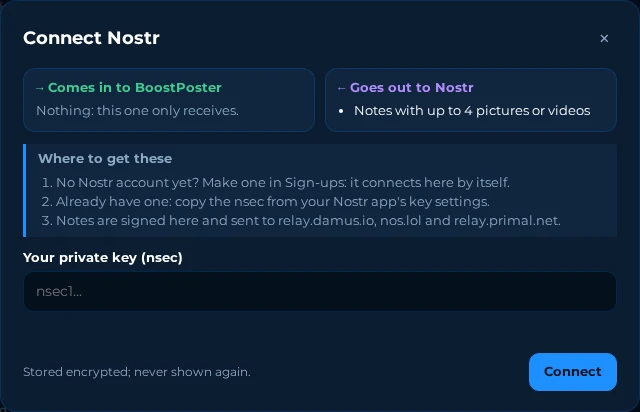
Connections, the Nostr window - Plan notes. In Poster drop files on days and pick the Nostr account.
What does Nostr take through BoostPoster?
| Content | Limit |
|---|---|
| Text | 5,000 characters |
| Files | Up to 50 MB |
| Relays | relay.damus.io, nos.lol, relay.primal.net |
Checked 23 Nov 2026.
Questions
Is there a username to pick on Nostr?
No. On Nostr your key is your account; there are no names to take.
Which relays do my notes go to?
relay.damus.io, nos.lol and relay.primal.net.
How long can a note be?
Up to 5,000 characters through BoostPoster, with files up to 50 MB.